HAMR
Parametric CAD for parts and assemblies
HAMR is a feature-based 3D modeler in the tradition of NX and SolidWorks. A local Open CASCADE server does the geometry and the interface runs in the browser.
Every command is also an HTTP call, so an agent builds a model with the same sketches, extrudes and constraints a designer would use. What it leaves behind is an ordinary part file with a feature tree anyone can open and edit.
What it does
Ten ribbon tabs cover the work from first sketch to released drawing.
- Modeling
- Sketch, extrude, revolve, loft, sweep, shell, draft, holes and patterns
- Surfaces
- Offset, sew, trim and extend, plus direct face editing
- Sheet metal
- Sheet-metal parts, with flat patterns exported to DXF
- Assemblies
- Constraints, reference sets, interpart links and BOM export
- Analysis
- Mass properties, interference, advanced surfacing and analysis
- Exchange
- STEP, IGES, STL, OBJ, 3MF and BREP
Large assembly capability
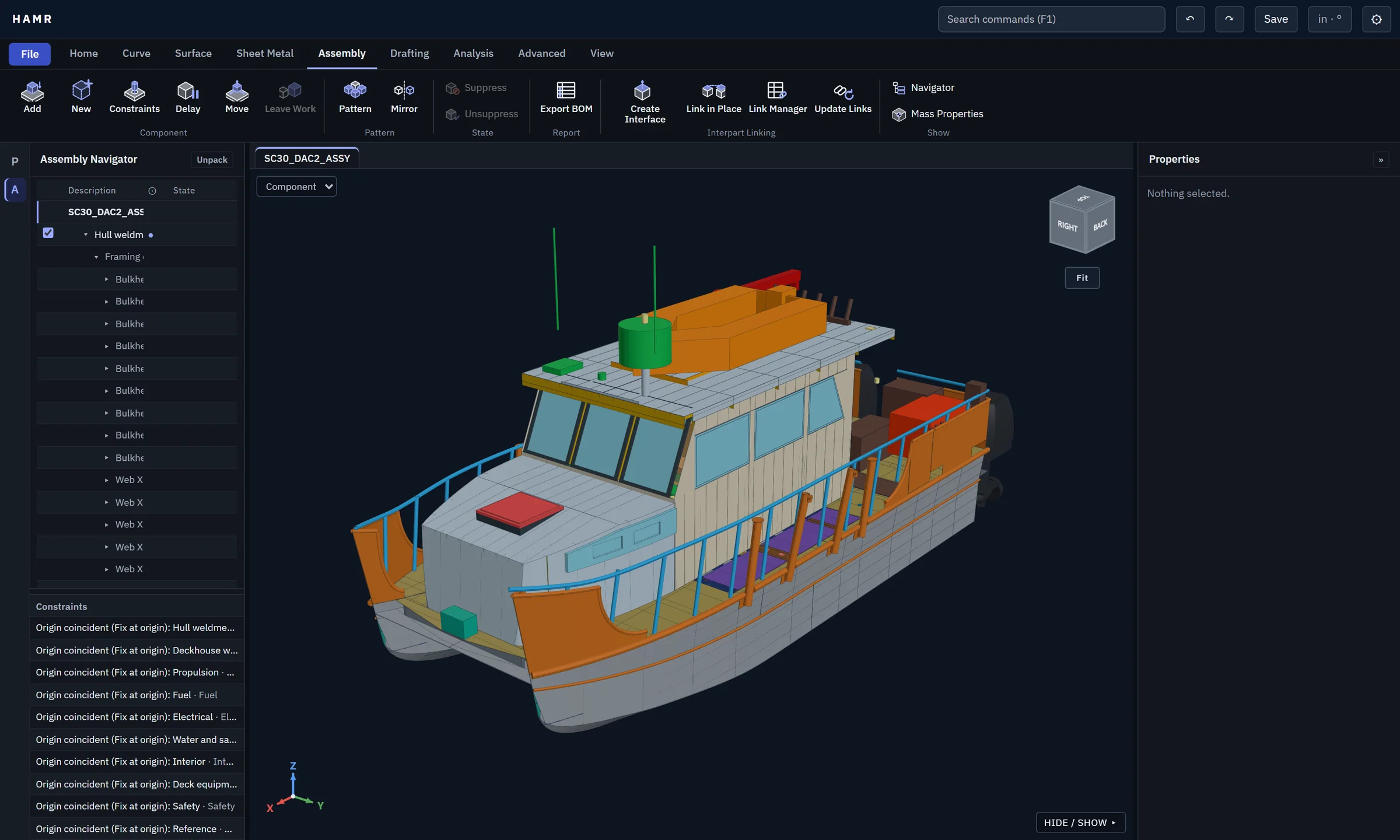
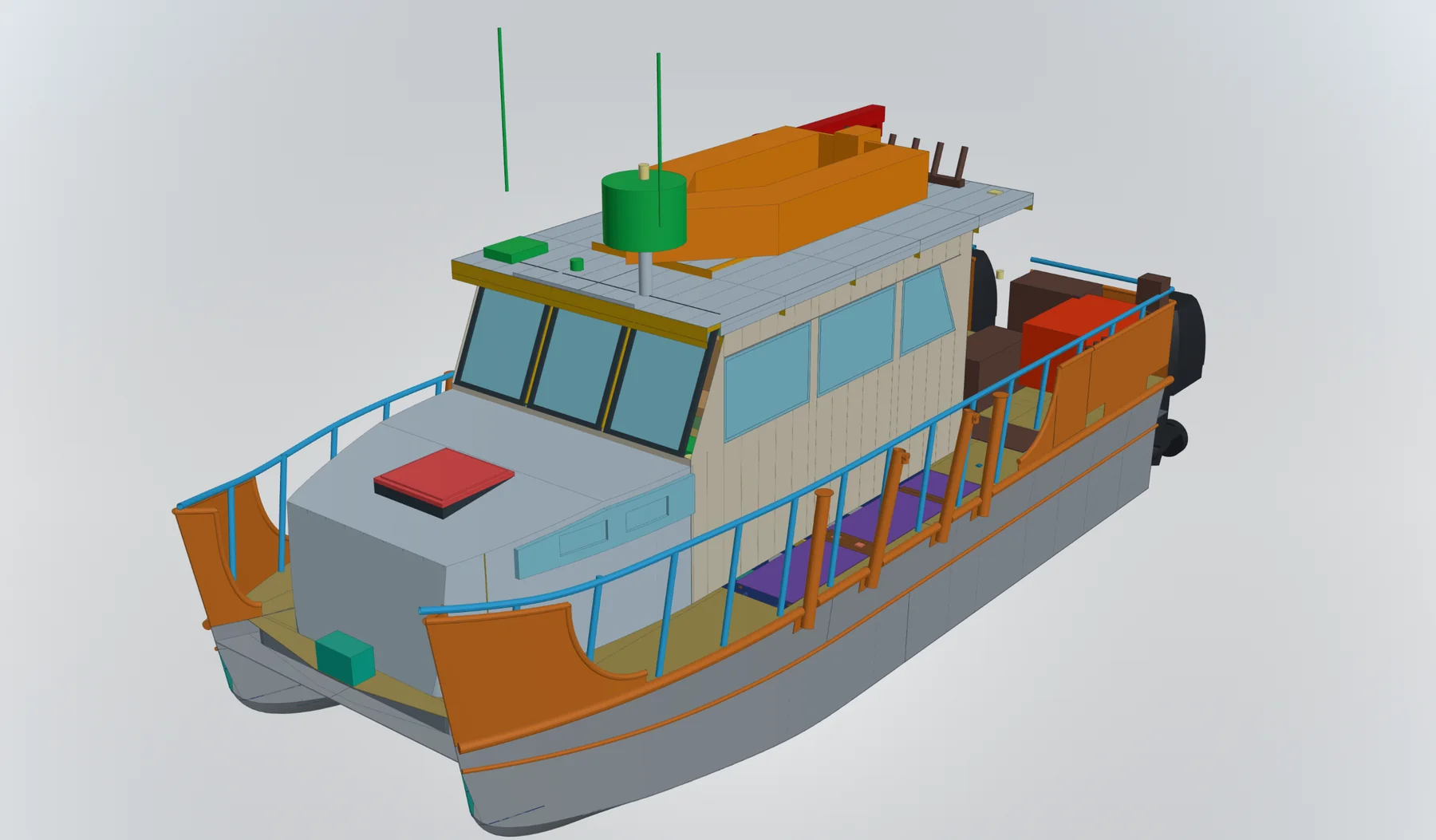
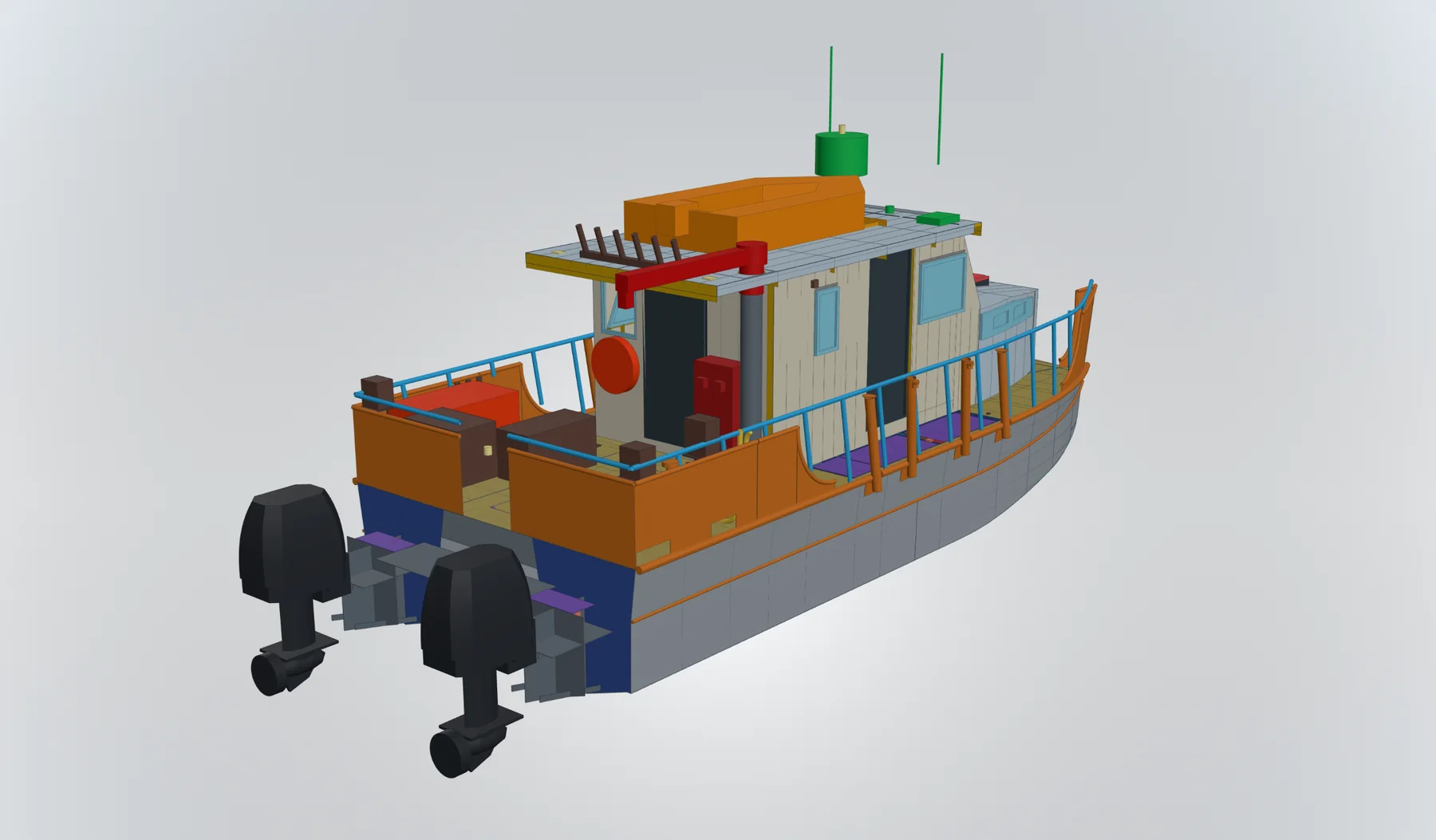
HAMR handles full vessel-scale assemblies. The demo catamaran model shown has 806 placed components and 873 bodies, organised into subassemblies for the hull weldment, deckhouse, propulsion, fuel, electrical, water, interior, deck equipment and safety.
It is built top-down from a master model: one master layout holds the driving expressions, datums and hull surfaces, and system layouts link to it through published interfaces. Parts are generated from those layouts with stable part numbers, and the product tree follows the build order, so a change to a master dimension flows through to every part.
Formulaic CAD
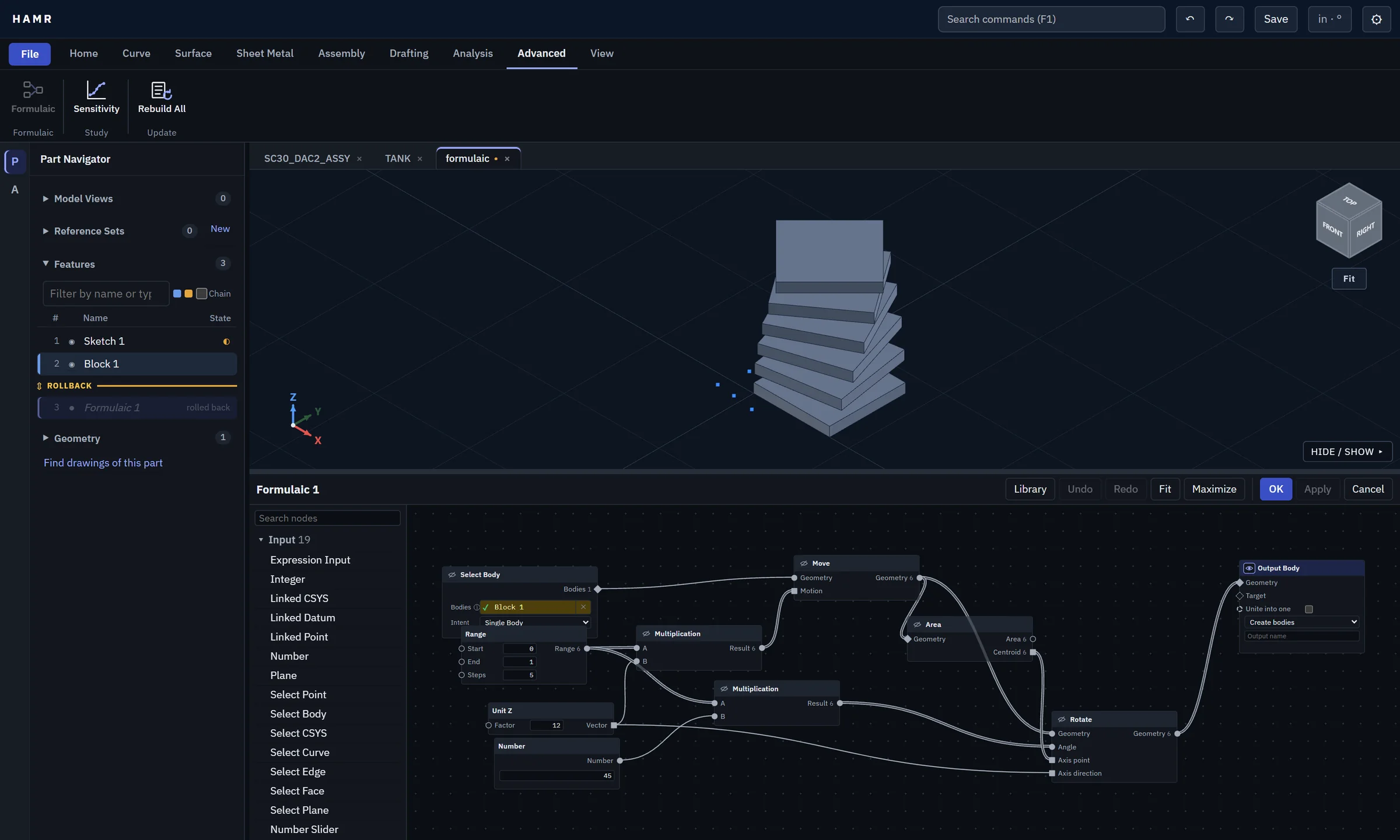
Formulaic is HAMR's visual programming layer. Wire nodes together in the Logic Editor to select geometry, generate ranges, do the math, then move, rotate or pattern the result. The whole graph is saved in the part as one feature that rebuilds when its inputs change.
Rules can publish their inputs as expressions and output datum planes, axes and coordinate systems as well as bodies.
Expressions
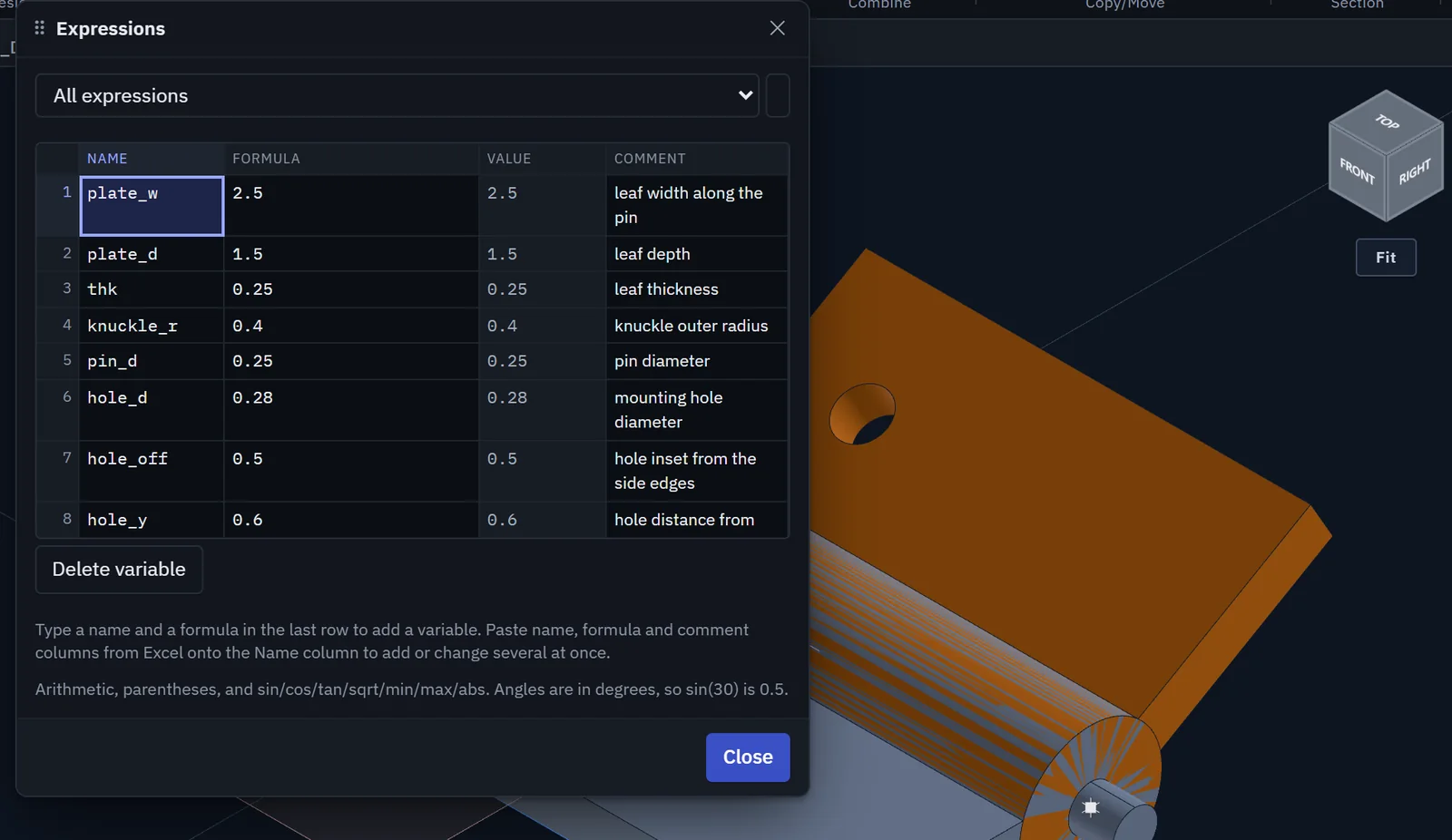
Named variables such as thk and hole_d drive feature dimensions through formulas like thk / 2. Rename a variable and every formula that uses it follows.
Sensitivity studies
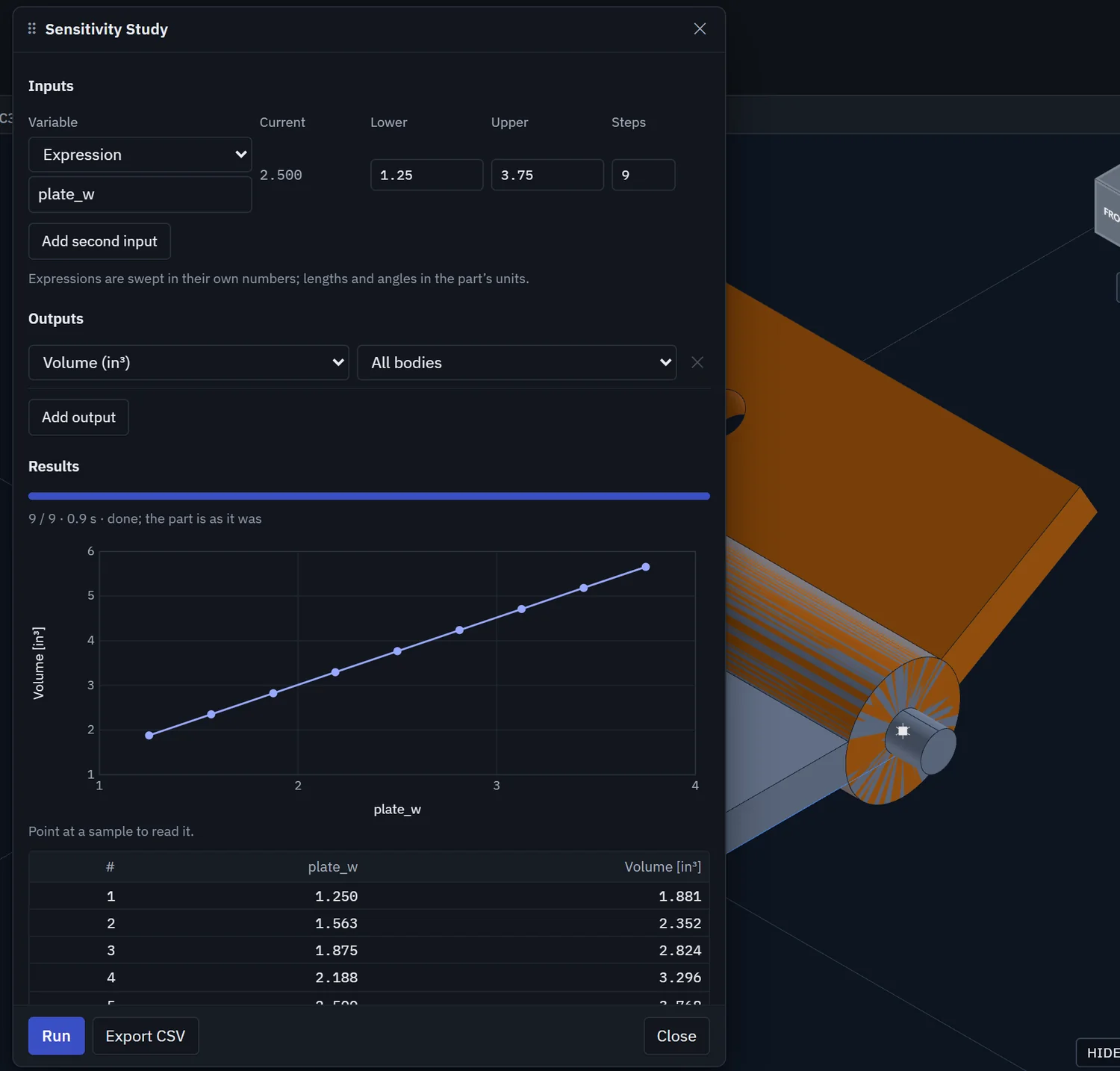
Sweep one or two expressions or feature values between limits and plot mass, volume, area, centroid or distance. Export the table as CSV. The part is left exactly as it was.
Interpart linking
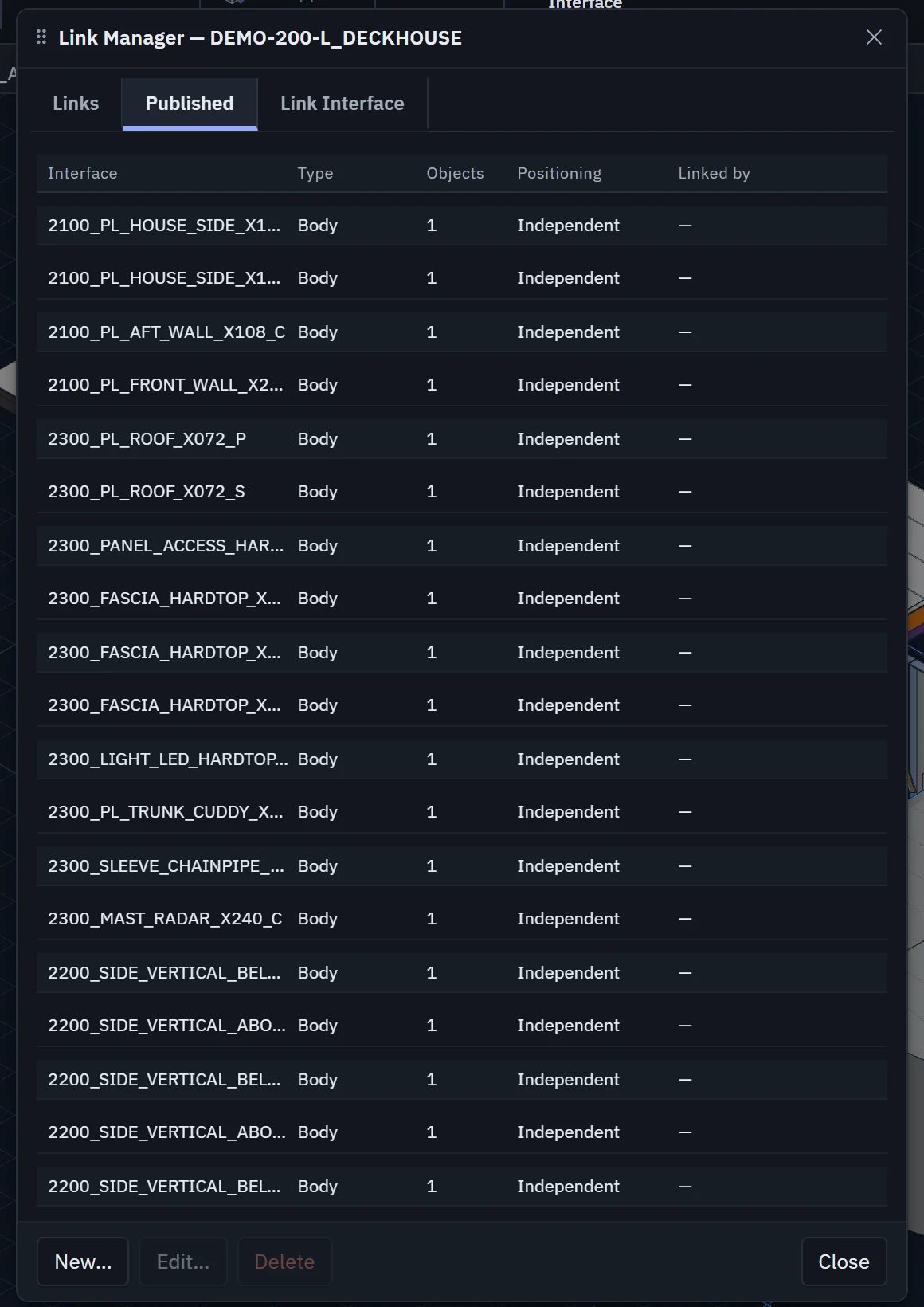
Parts in a large design stay in step through links. A part publishes named interfaces (bodies, faces, curves, points, datums, coordinate systems or a set of parameters), and other parts link to them by name, so the link survives when the source geometry is rebuilt.
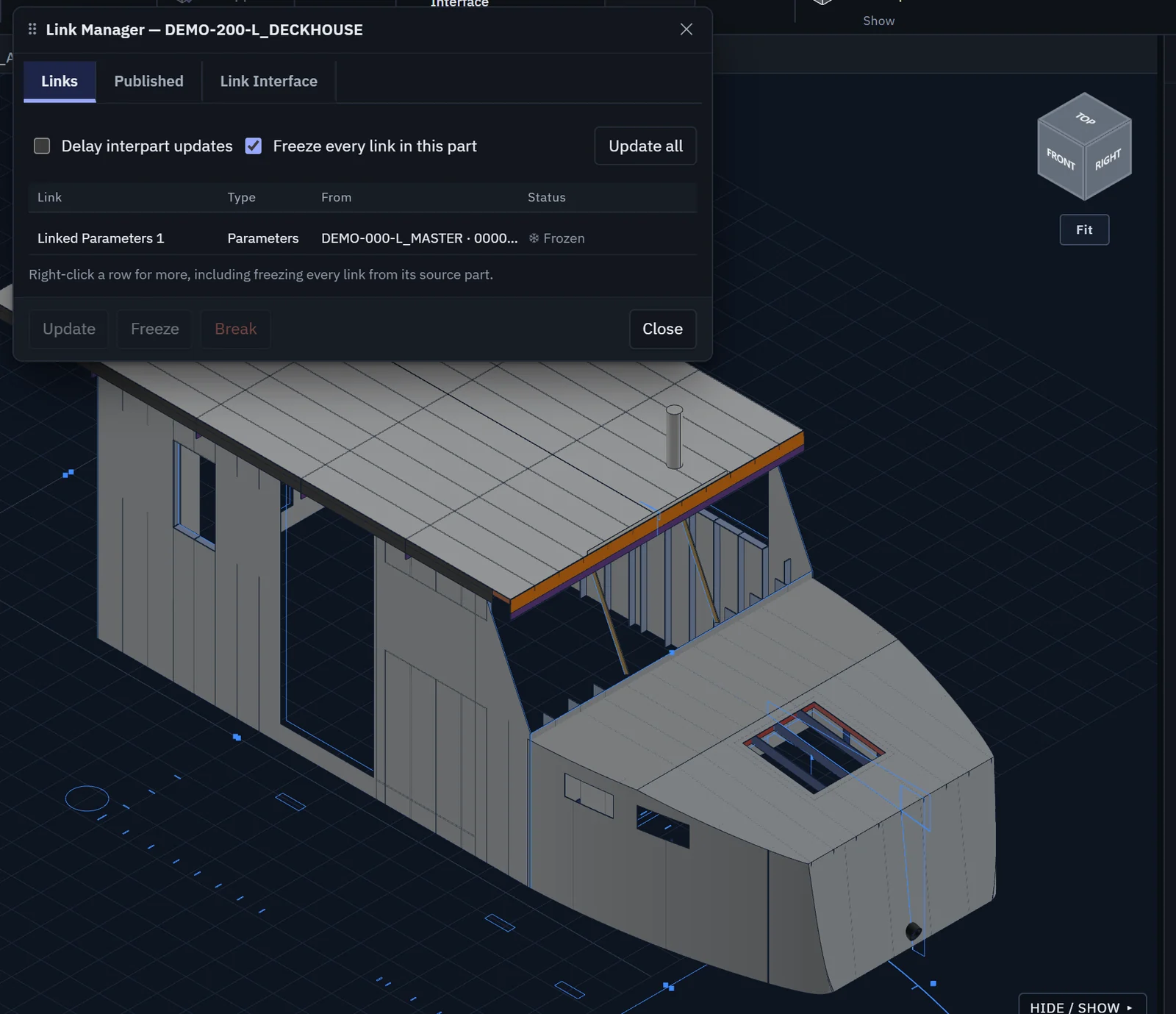
Link in Place brings geometry straight from another component of the open assembly. The Link Manager shows every link and its status, and lets you update, delay, freeze or break links, one at a time or across a whole part.
Drawings from the model
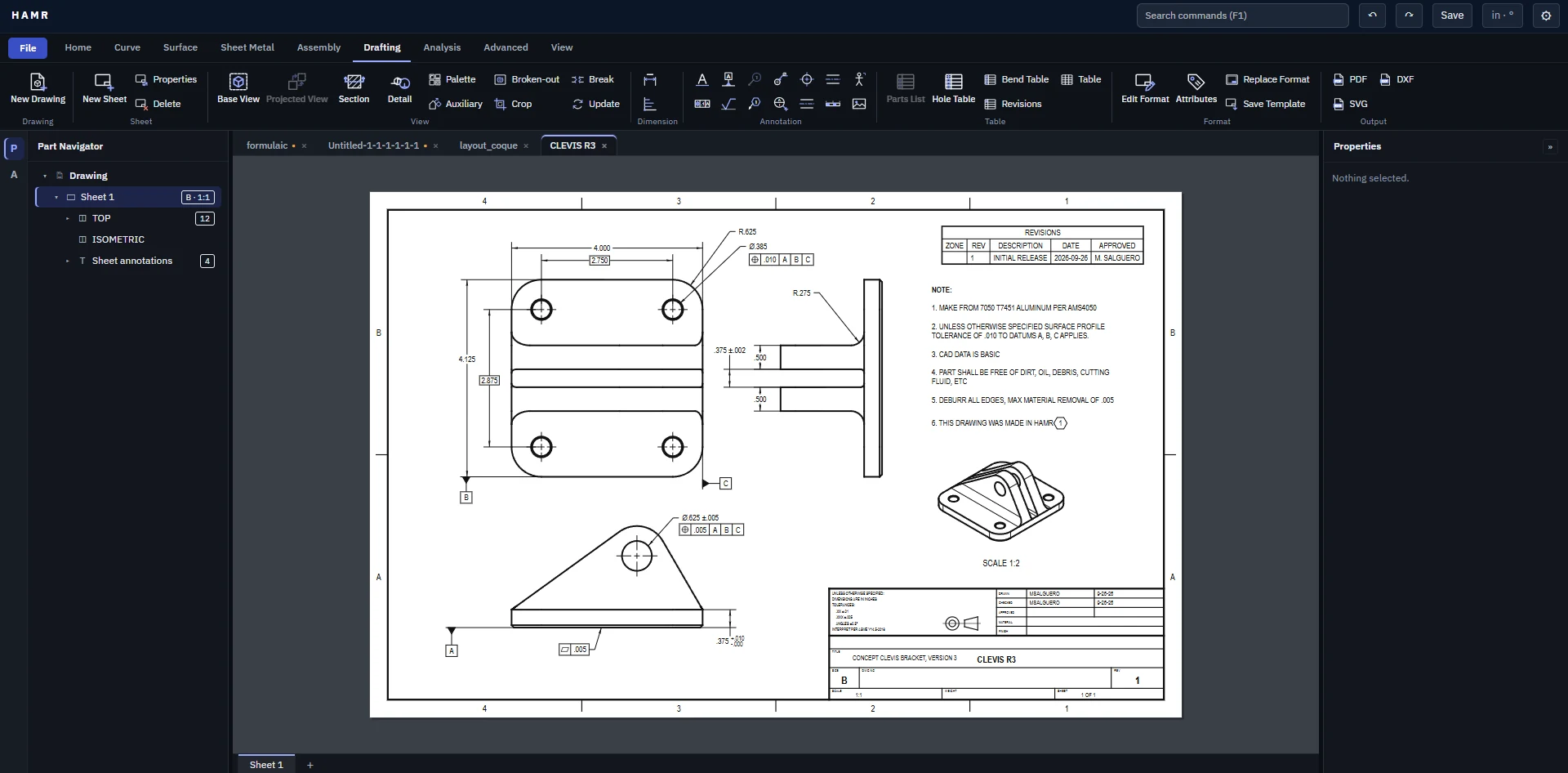
The Drafting tab builds sheets straight from the 3D part: base, projected, section, detail, auxiliary and broken-out views; dimensions, GD&T frames and notes; parts lists, hole tables, bend tables and revision blocks.
Views update when the model changes, and sheets export to PDF, SVG and DXF.
Continuous improvement
The agents that drive HAMR on real design work also report back on it. When a command is slow, a feature is missing or a result looks wrong, the agent logs a finding against the tool, with the model and steps that reproduce it.
Those findings go straight into HAMR's development, so the tool gets better through the same work it supports.
- Issues opened in four weeks
- 501
- Closed
- 494
- Median time to close
- 2 days
From the HAMR issue tracker, 28 September to 25 October 2026. 98% of issues were closed within 10 days.